

Miranda’s Waltz
A symphonic adventure for narrator/actor and orchestra
music by Susan Kander
Story by May Hall Surface
This fabulous orchestral piece by one of America’s leading concert and opera composers explores the orchestra as a whole in all its flexibility and color. and introduces to young people the specific sounds and styles that America has given to the world in the last century and a half.
It’s sources and inspirations range from Charles Ives to Duke Ellington to Loony Tunes to contemporary Big Band to John Adams to American musical theater: styles of music that children (and big people) will hear throughout their lives and which are uniquely American contributions to world music.
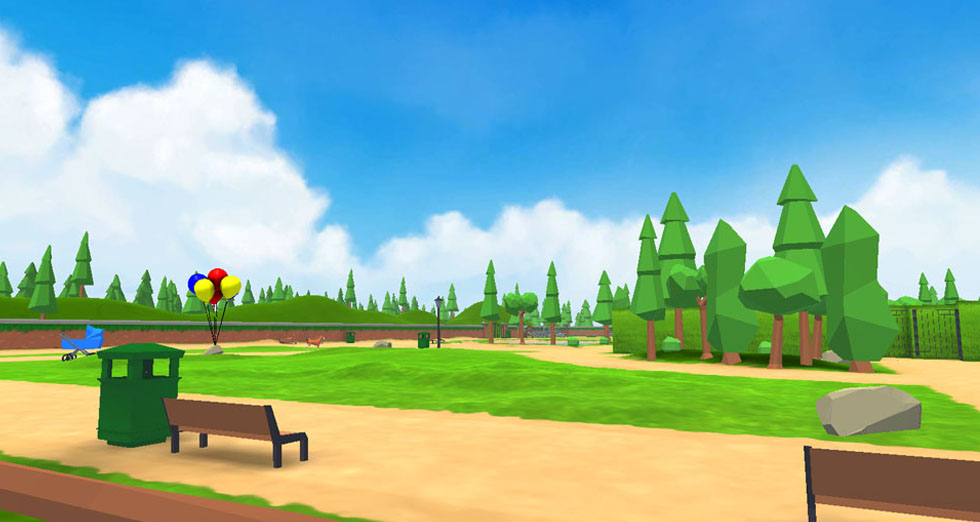
When we first meet young Miranda, she is small, doubtful, and uninterested in the larger world. She goes to her neighborhood park and meets something/someone that is even smaller than she is: a little brown mouse. Though this is not a talking mouse, and we never see him, he uses music to teach Miranda to open both her ears and her mind to the larger world around her.
The accompanying interactive game (for children and adults 8 yrs and up) was created by Quill & Quaver Associates to demonstrate how classical music experiences can exist beyond the concert hall to engage young people in discovering more about the symphony orchestra.
More information and extracts from a performance of this beautiful and uplifting orchestra work can be viewed here.
Recommended viewing in Google Chrome or Mozilla Firefox. Other browsers, such as Safari, may not display and function correctly.
HELPFUL HINTS FOR PLAYERS
EXPERIENCED GAME PLAYERS:
Standard QWERTY key functions apply. See below.
FOR FIRST-TIME PLAYERS:
First rule: Don’t be afraid. It’s fun!
After the game loads, you will see a ‘START’ button appear. Click on START to begin.
At the bottom of the screen you will see Miranda’s MOUSE who will give you instructions how to move around in Miranda’s Park. When MOUSE finishes speaking, you can find the entry to Miranda’s Park and start your adventure.
You only need to use the W, S, A and D keys on your computer keyboard. W = move forward; S = move backwards; A = move left and D = move right. You can also use the equivalent arrow keys if you prefer.
You can also use your mouse (or other tracking device) to look around where you are at any spot
You can move faster by pressing the <command> or shift key at the same time as pressing the W, S, A or D keys
You can jump by pressing the space bar key.
You can ‘Pause’ the game at any point by pressing the ESC key (usually located at top left corner of your computer keyboard)